GeM for Service Providers: Step-by-Step Guide for New Sellers
When most people think of GeM, they imagine products like laptops, chairs, or office supplies. But here’s the truth: GeM is not just for products — services are a huge opportunity. From manpower supply to IT support, training to repair work, the government buys tons of services every day.
If you are a service provider, GeM can become a steady revenue stream — if you know how to list your services properly.
Step 1: Create Your Service Profile
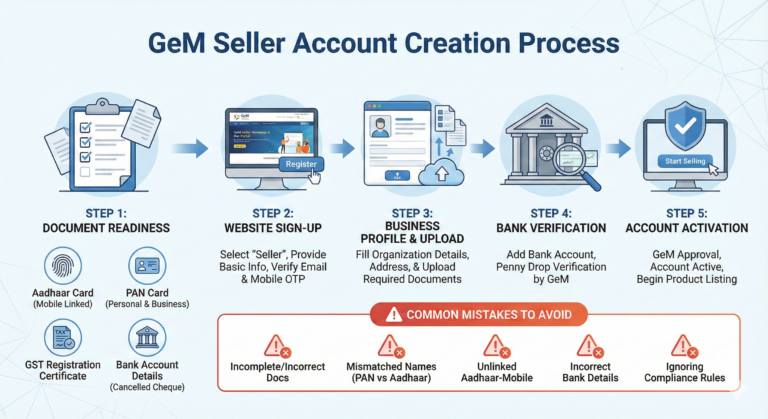
Before anything, your account must be active. Once ready:
- Go to Dashboard → Services → Add New Service
- Fill out basic info: service name, category, and description
- Select correct service type (e.g., IT, housekeeping, repair, training)
Choosing the correct category is critical, otherwise buyers may never find your listing.
Step 2: Define Service Scope Clearly
Government buyers need clarity. Include:
✔ Number of staff or units involved
✔ Duration of service (hours, days, or months)
✔ Location
✔ Terms & conditions
✔ Any special certifications
If buyers are unclear about your scope, they may skip your offer.
Step 3: Pricing Strategy
Pricing services on GeM is different from products.
- Include labor charges, equipment (if any), GST, and travel costs
- Offer competitive pricing
- Avoid overpricing; it can eliminate your chances
- Avoid extremely low pricing; quality is also judged
Smart pricing improves your chances of winning contracts.
Step 4: Upload Supporting Documents
- Experience certificates or proof of past work
- Staff qualification certificates
- Service-specific licenses (if required)
- OEM/brand authorization (for equipment-based services)
Clean and correct documents increase trust and approval chances.
Step 5: Submit and Get Approval
Once your service listing is complete → submit.
GeM reviews:
- Category match
- Document completeness
- Pricing correctness
- Overall clarity
After approval, your service is live and visible to thousands of government buyers.
Step 6: Participate in Bids for Services
Once listed, you can participate in service-specific bids:
- Manpower contracts
- AMC (Annual Maintenance Contracts)
- Cleaning or security services
- IT support or training
Always read bid specifications carefully and submit correct documents.
Step 7: Maintain Quality & Ratings
- Deliver services on time
- Follow the agreed terms
- Track payments
- Ask buyers to rate you
Good ratings improve visibility and future winning chances.
GeM for service providers is a goldmine. Properly listed services, clear pricing, and compliance can help you win big government contracts consistently.
👉 If listing services, preparing documents, or bidding feels overwhelming — GeM Master handles your complete service setup, bid participation, and management. Your service business on GeM, simplified.